Made in Canada
The way you dine together. Meet new people over dinner, plan the group table, split the bill.
Book a seat at a social dinner and meet people DINIVIA thinks you will get along with. Plan dinner with friends, order from your phone at the table, and pay only your share. Join the waitlist to be first at the table.
One more step
Check your inbox.
Already on the list? That email has your personal link instead. Can’t find it? Check your spam or promotions folder. We hold your spot for 7 days.
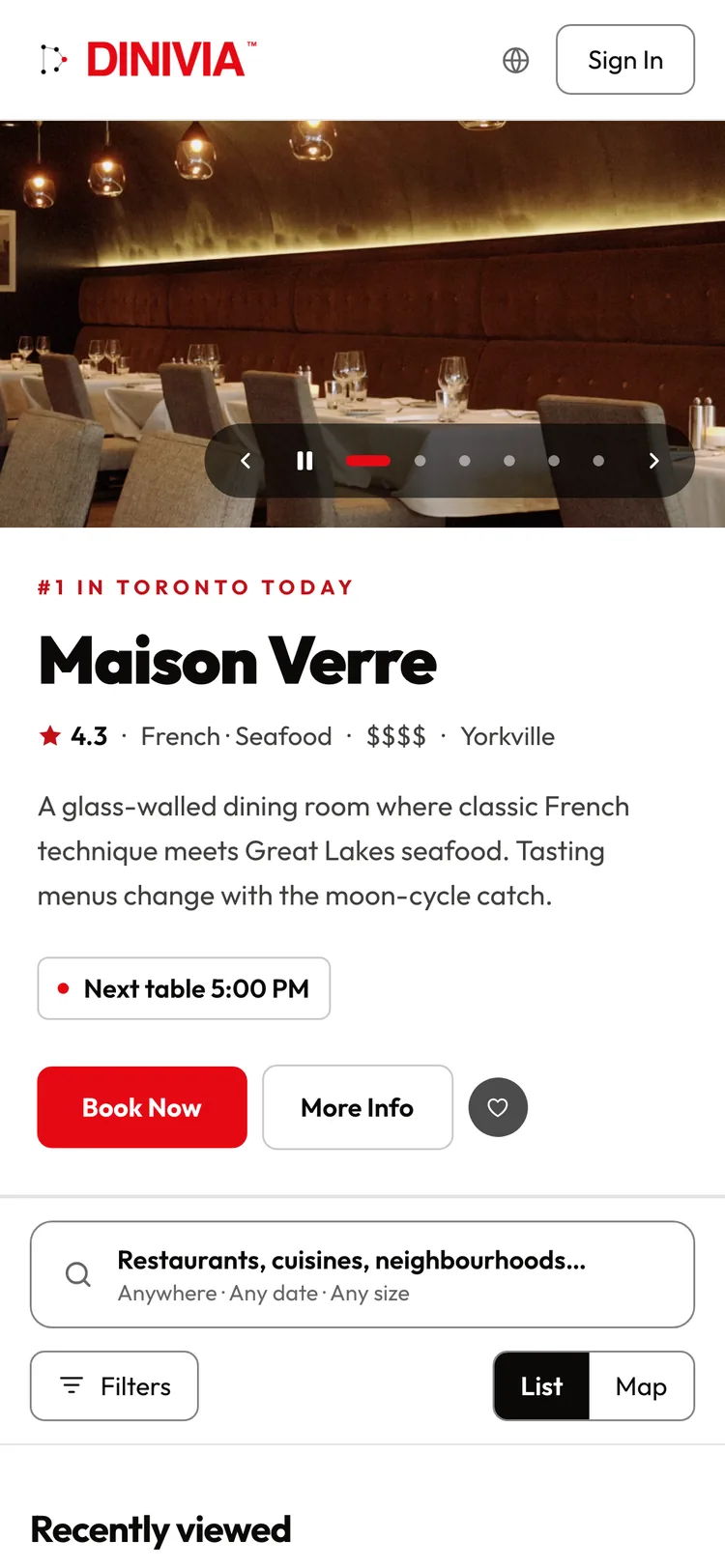
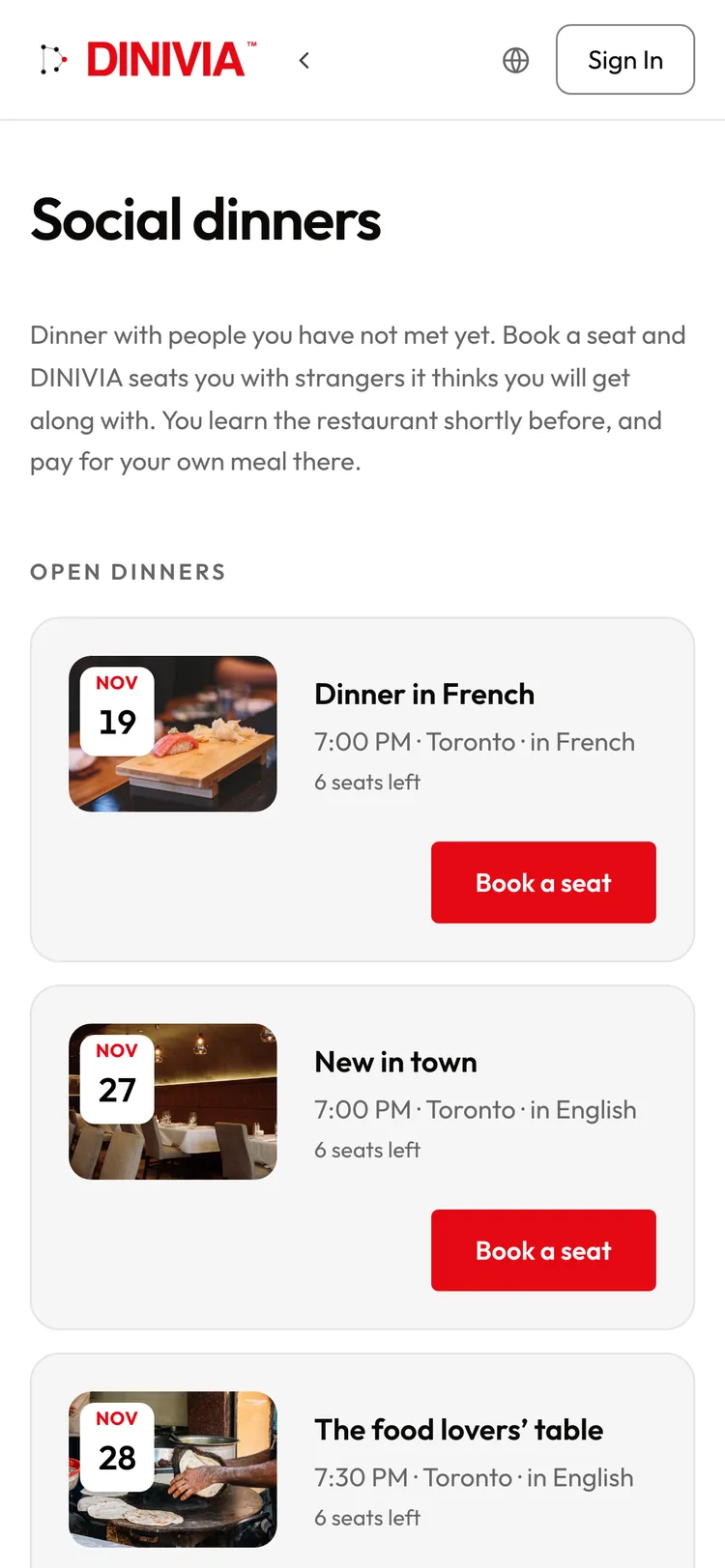
Real DINIVIA screens · demo restaurants and guests
- English and French
- We never sell your data
- Canadian-owned
- Unsubscribe in one click
In one sentence
What is DINIVIA?
DINIVIA is a social dining app for Canada that lets you book a restaurant table alone or with a group, collect RSVPs through one link, pre-order, chat, and split the bill fairly. It also hosts social dinners that match people by interests, languages and dietary needs. Free for diners; the waitlist is open.
-
01
Social dinners
A table of people you have not met, matched for you.
-
02
Group dinners
Invite friends, collect RSVPs and pre-order together.
-
03
Order at the table
Scan, join with your first name, order from your phone.
-
04
Split the bill
Pay what you ordered and add your own tip.
-
05
Discover
Find a table, read the menu, book an experience.
-
06
Community
Share your meals, rank where you have been, follow friends.
Group dinners
Gather beautifully.
How does DINIVIA work for a group dinner?
Pick the restaurant and send the invitation. Friends answer with their name and email, no account needed, and you see who is going, who is a maybe and who can’t make it. The table chats in one place and pre-orders together, so the kitchen preps before you arrive. Where the restaurant takes a deposit, each guest pays their own.
-
RSVPs without an account
Guests reply with their name and email. Nobody has to sign up.
-
Who’s coming, at a glance
Going, maybe and can’t make it, counted for you.
-
One group chat
Plans, running late, who is bringing the cake: all in the group’s chat.
-
Pre-order together
Build the group order before you arrive. Dishes for the table are shared.
-
Allergies travel with you
Add dietary restrictions when you reply, so the kitchen knows.
-
Each guest pays their own
Each guest can pay their own share of the deposit and of the bill.
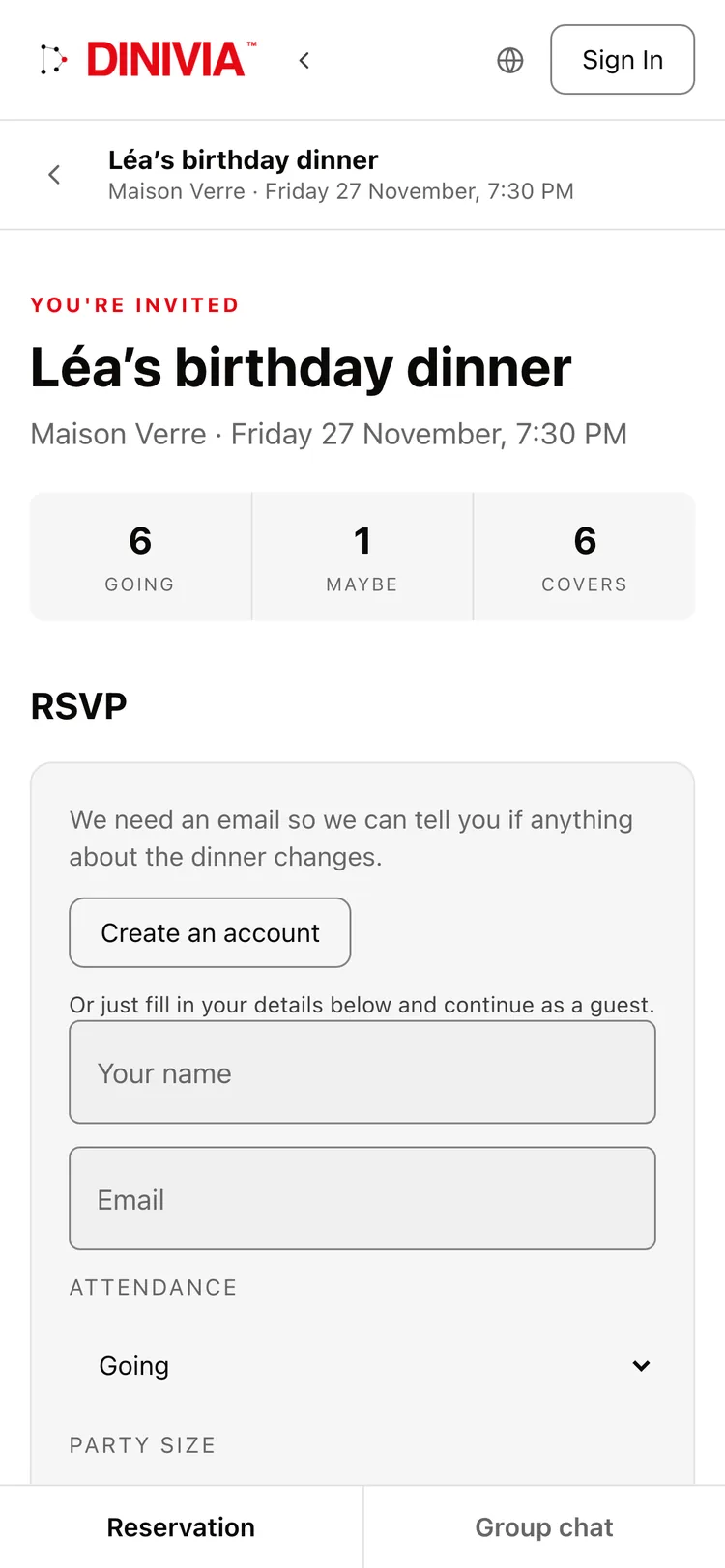
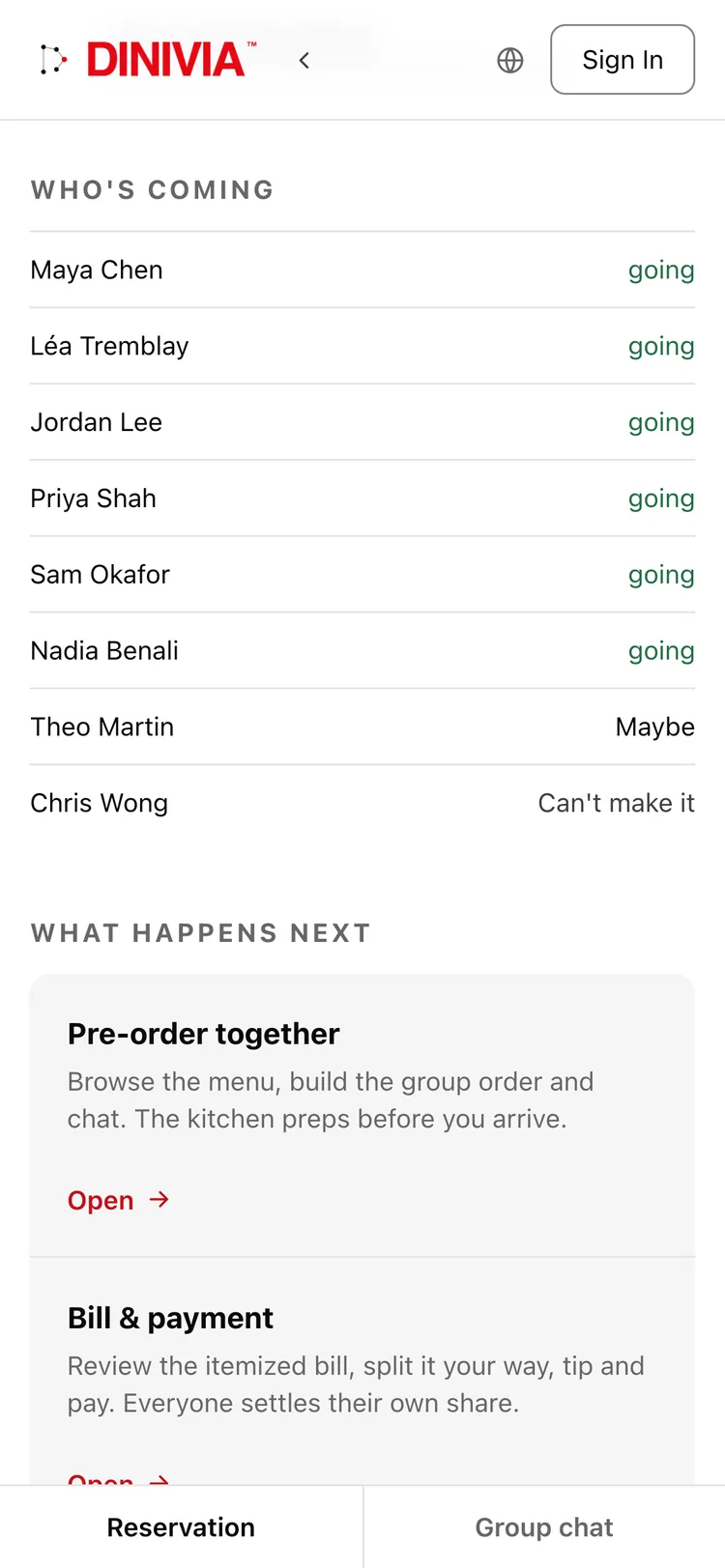
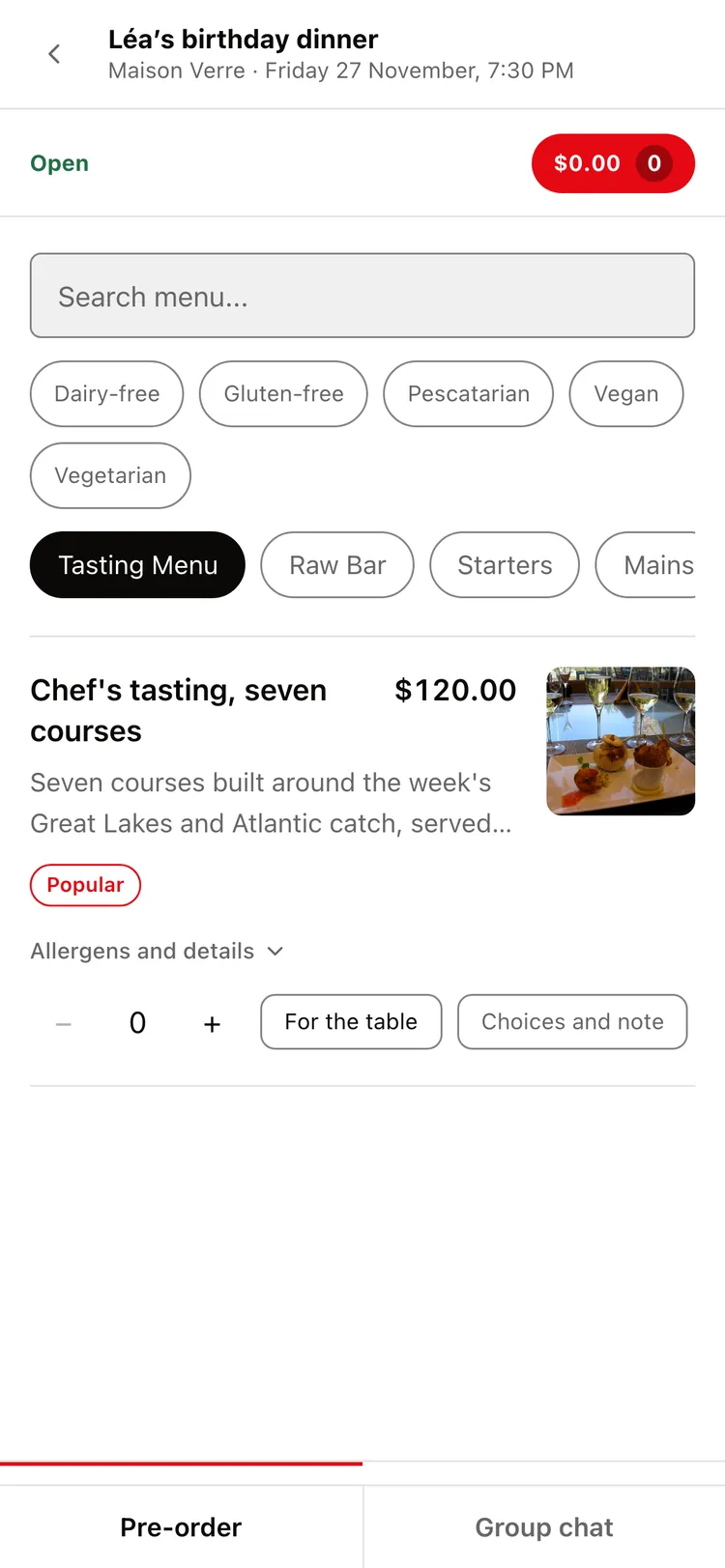
Real DINIVIA screens · demo restaurants and guests · Dish photo: Mike Beltzner, CC BY-SA 2.0, via Wikimedia Commons, cropped.
At the restaurant
Order from your phone.
How does ordering at the table work?
At restaurants that offer it, scan the code on your table and join with your first name. There is no app to download. Tell the kitchen what you cannot eat, add your dishes and send. Your server sees each order before it goes to the kitchen, and you follow every dish: in the kitchen, being prepared, on its way, served.
-
01
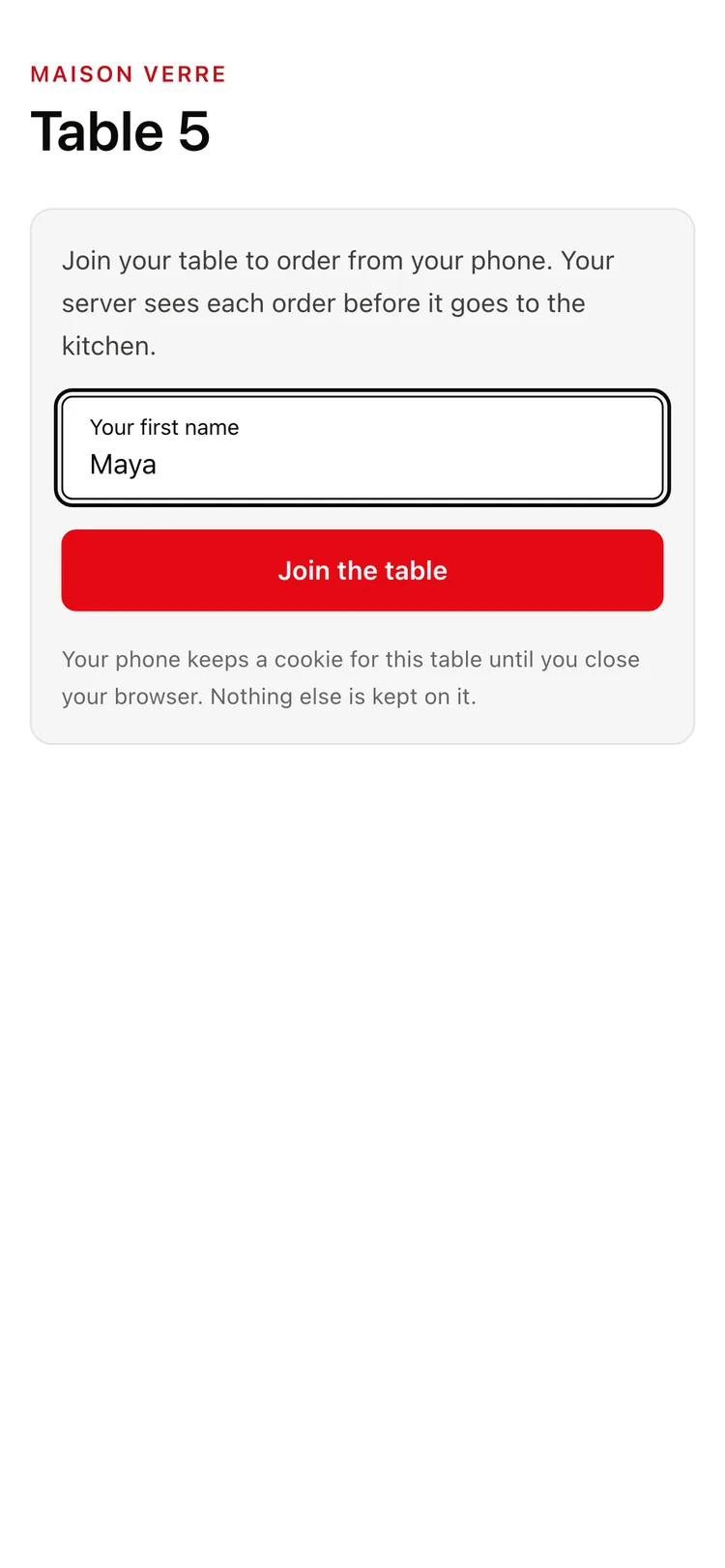
Join with your first name -
02
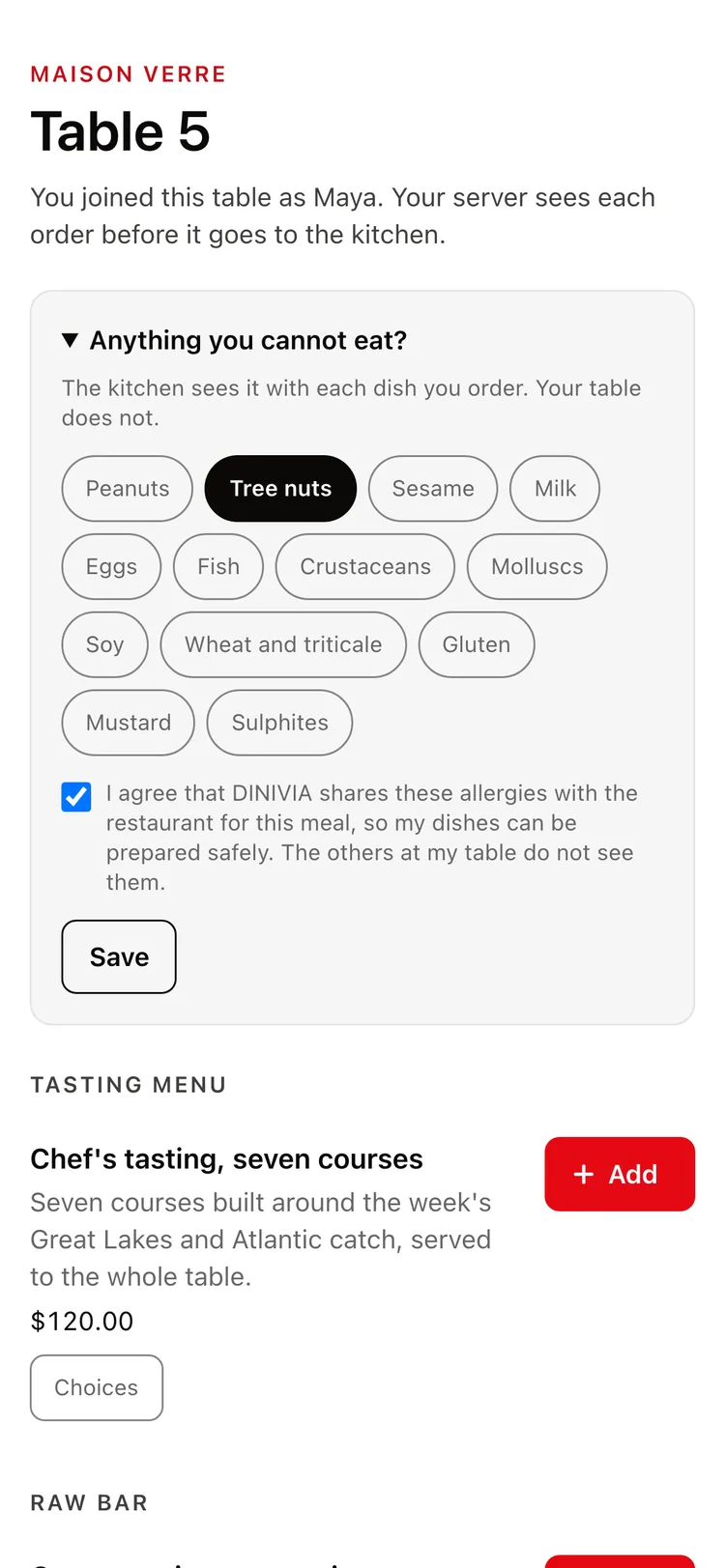
Tell the kitchen, not the table -
03
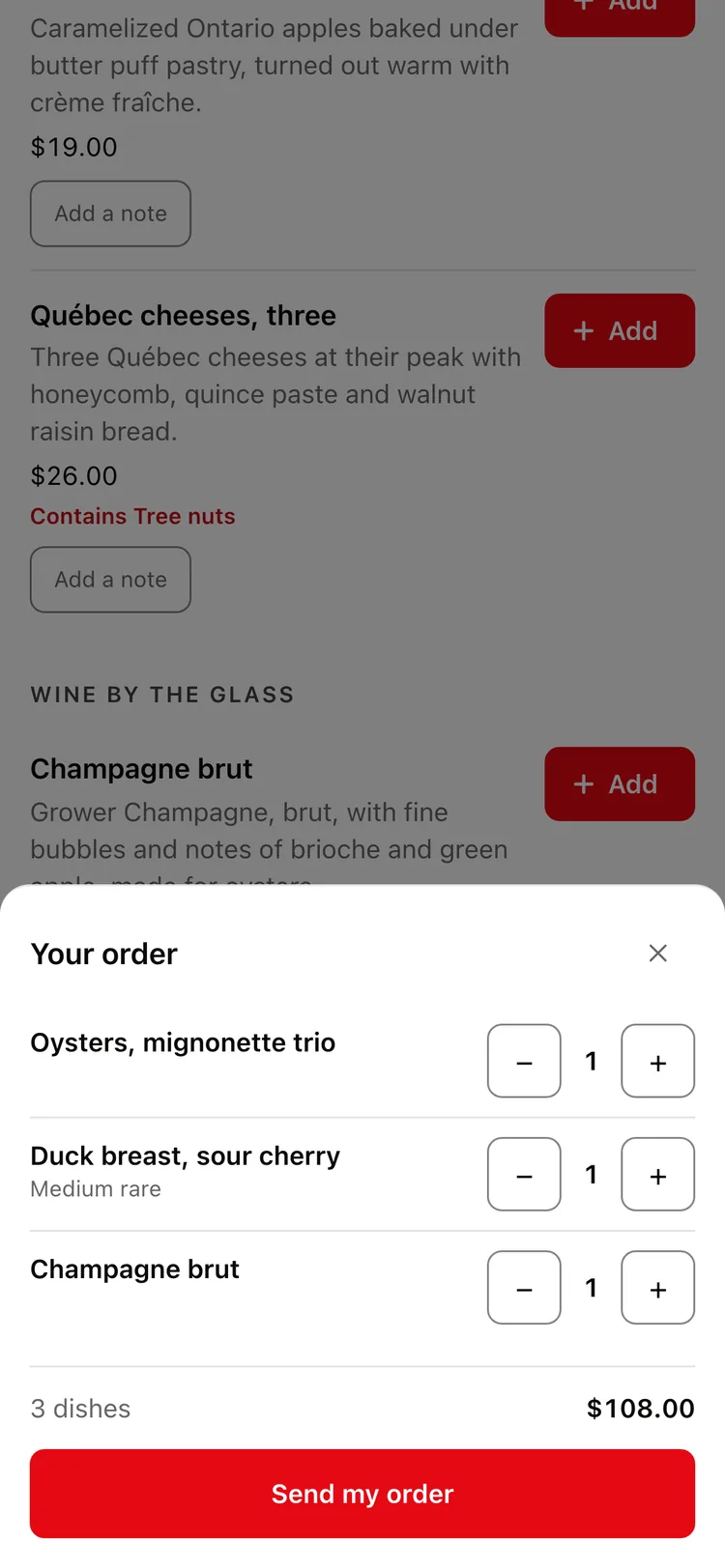
Send your order -
04
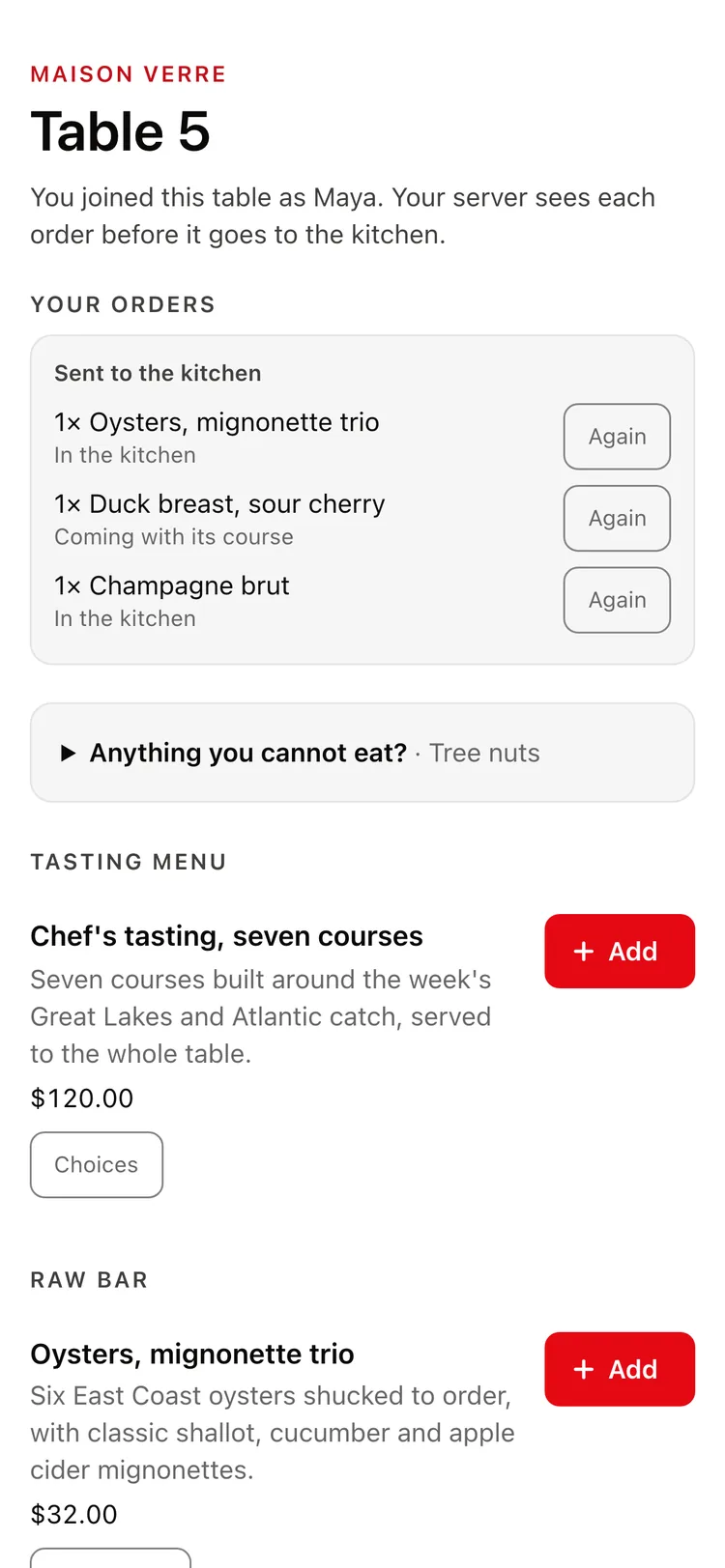
Follow every dish
Real DINIVIA screens · demo restaurants and guests
The bill
No more bill drama.
How does splitting the bill work on DINIVIA?
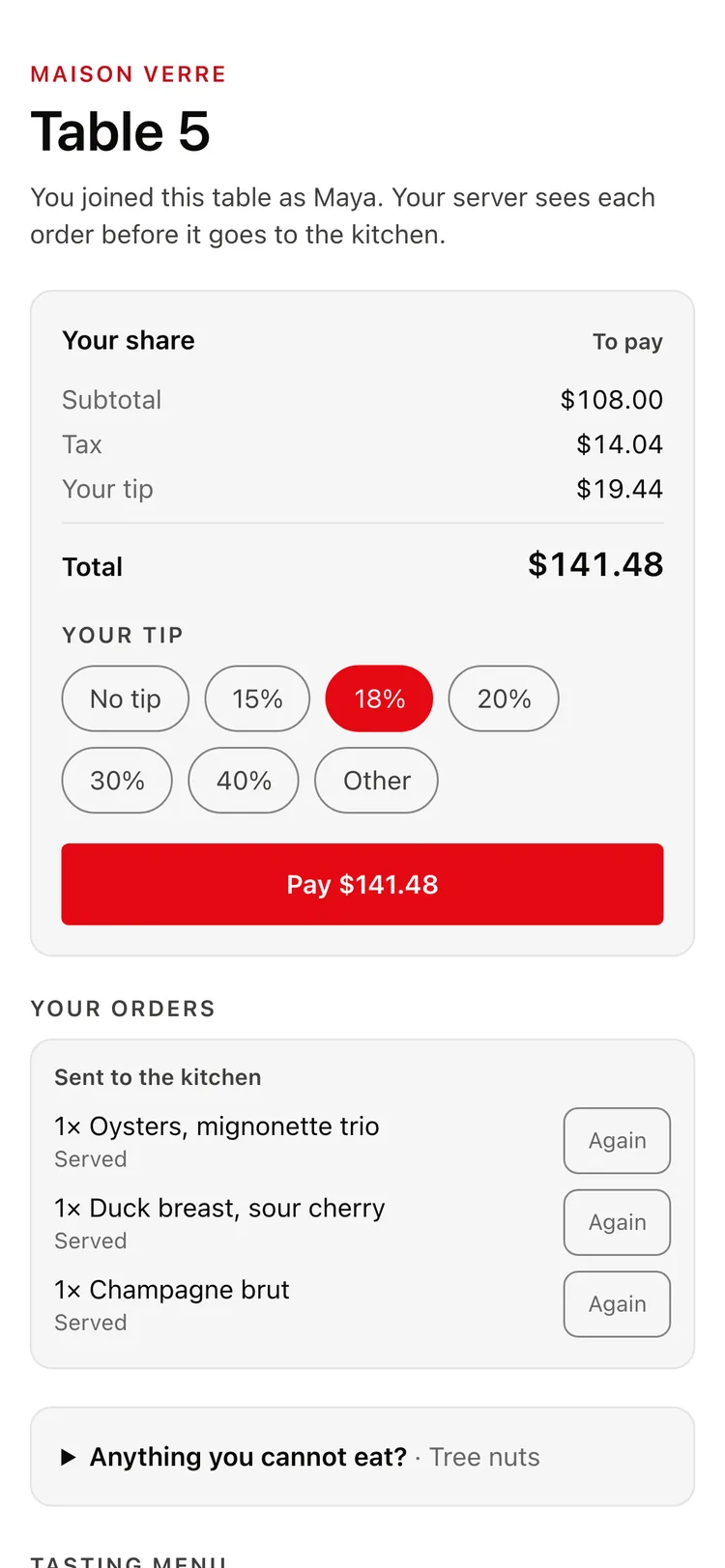
Once the restaurant confirms the check, your table chooses how to split it: each person pays what they ordered, the table splits it equally, or the host pays. A plate for the table is shared by the people who had it. Everyone adds their own tip and pays their share on their phone, or pays at the table.
- Pay what you ordered
- Split equally
- The host pays
- Your share, with tax, before you pay
- Your own tip, from no tip to whatever you choose
- Pay on your phone, or pay at the table
Discover
Find the right table.
How do I find a restaurant on DINIVIA?
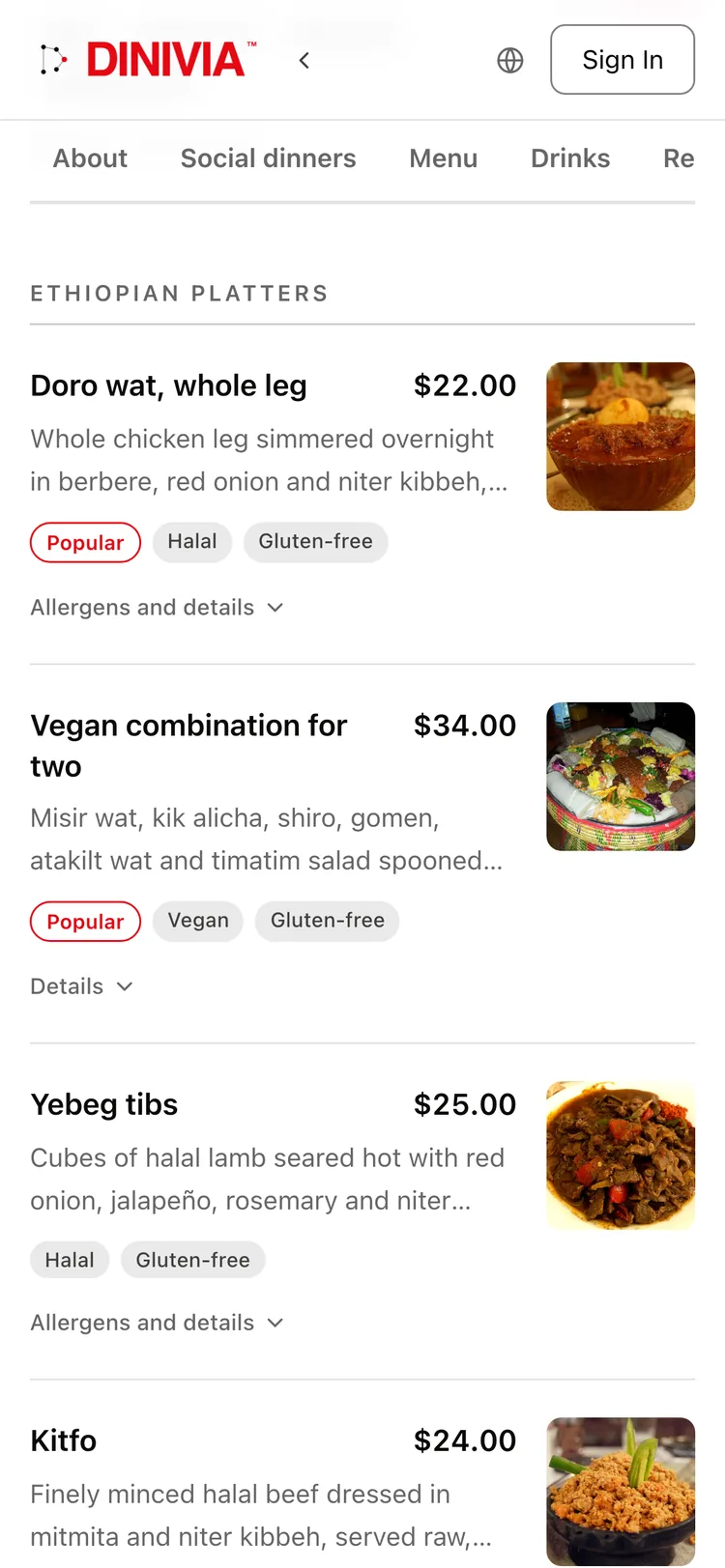
Search by cuisine, neighbourhood, date and party size, as a list or on a map. Each restaurant shows its next free table and its menu, with dietary tags and allergens. You can also book experiences such as chef’s tables and tastings, or ask a restaurant for a private dining room.
-
The next free table
See the next time you can sit down, before you open the page.
-
Menus you can trust
Dietary tags on every dish, with allergens and details.
-
Experiences
Chef’s tables, tastings, pairings and classes, booked by the ticket.
-
Private dining
Ask for a private room for a birthday or a team dinner.
Real DINIVIA screens · demo restaurants and guests · Dish photos: Stu Spivack (CC BY-SA 2.0), Berha and Sofia.jahn (CC BY-SA 4.0), via Wikimedia Commons, cropped.
Community
Share where you ate.
What can I share on DINIVIA?
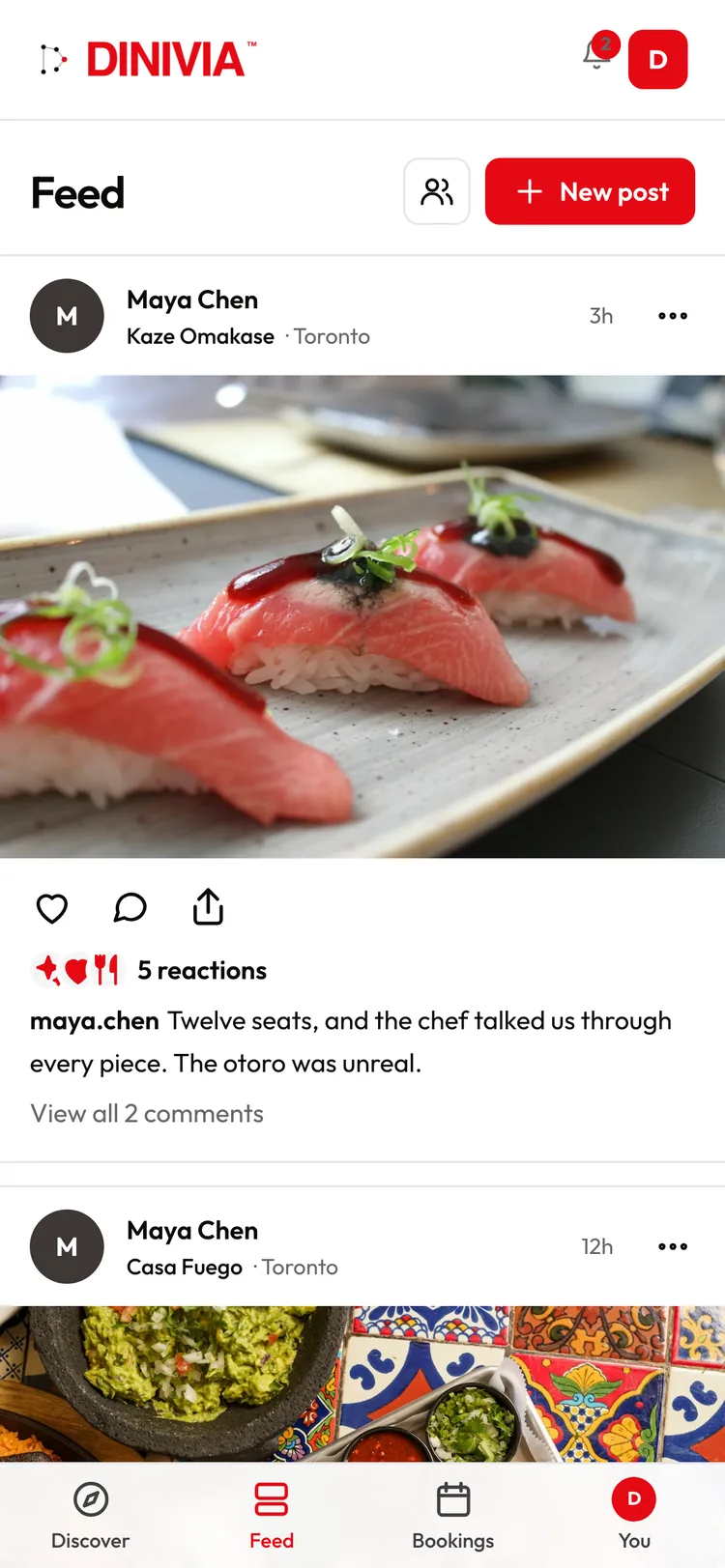
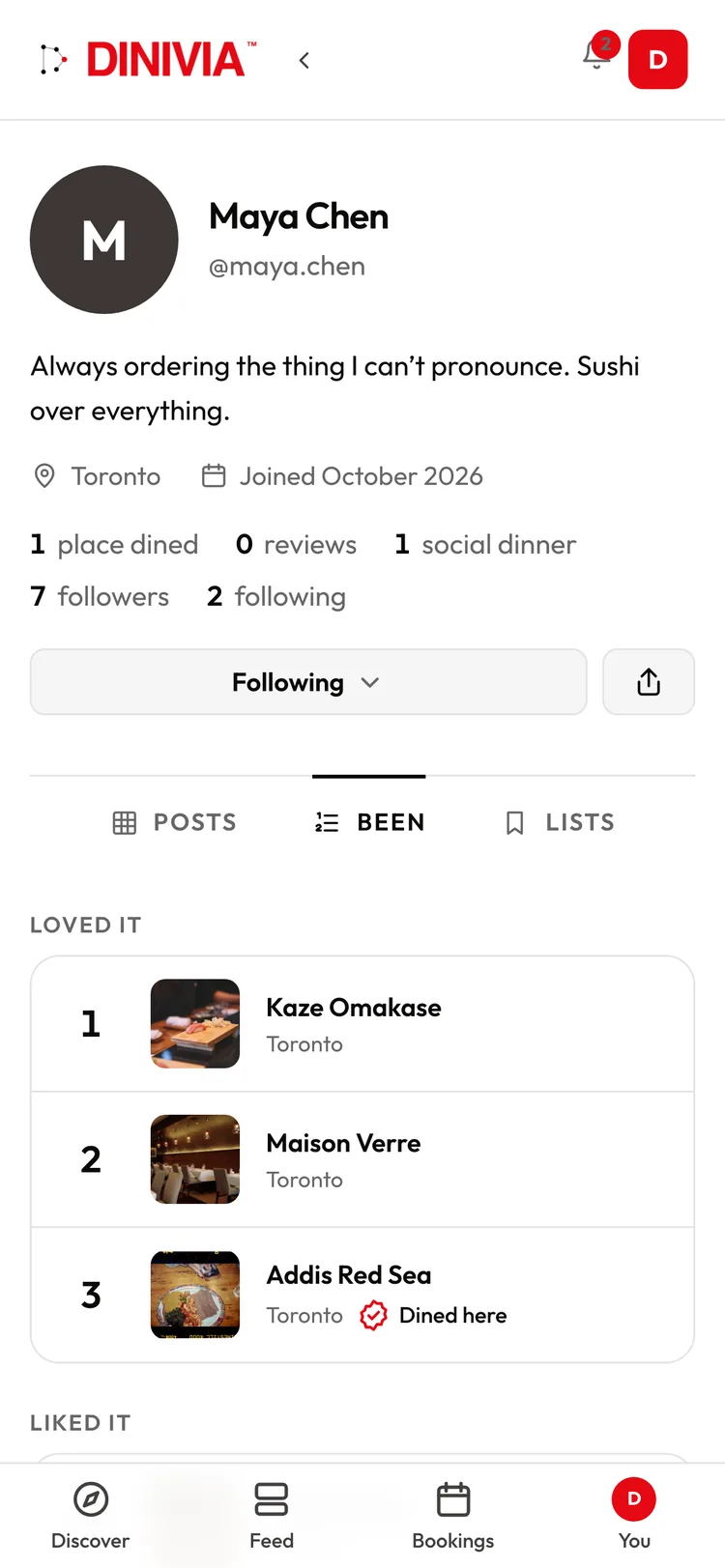
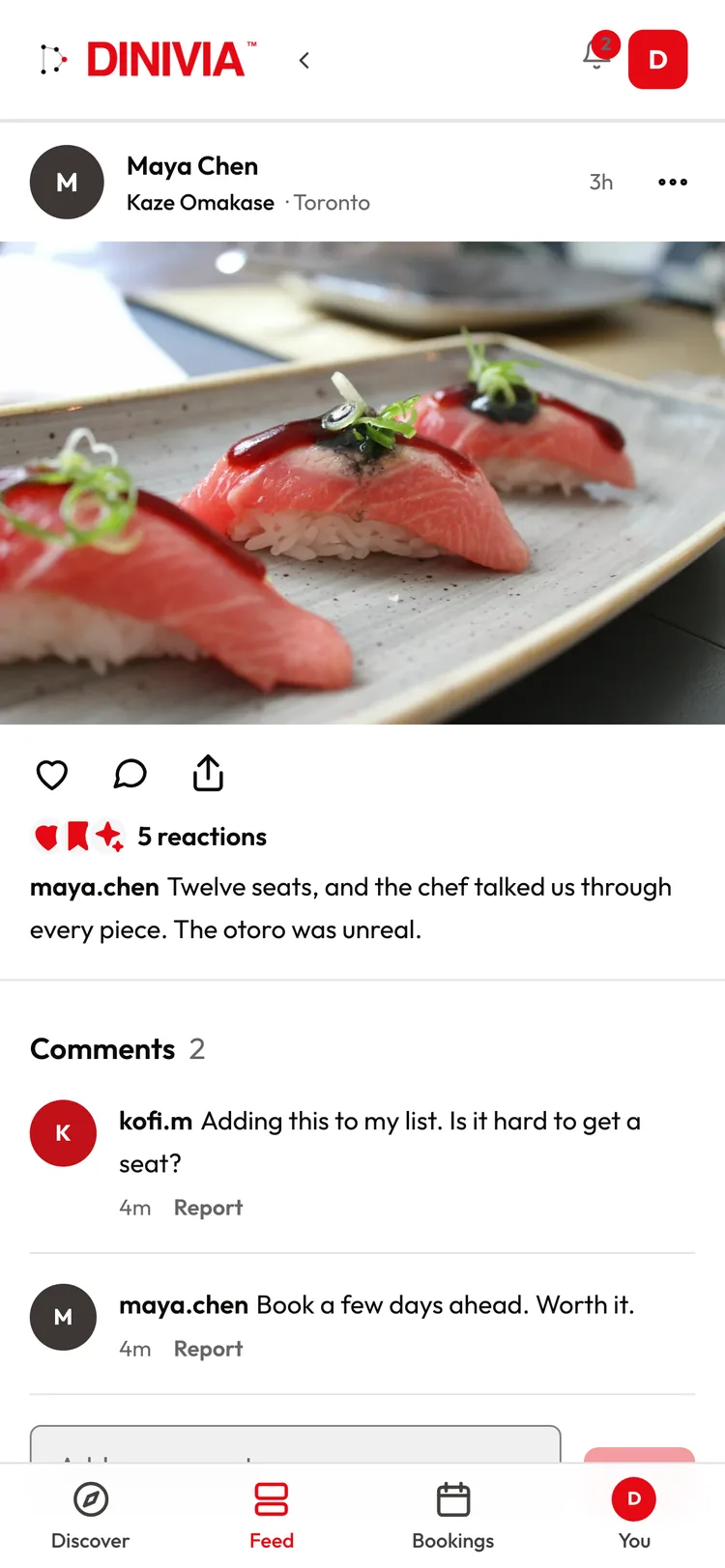
Your dining profile shows the meals you post, the places you have dined, ranked, and the lists you choose to show. Follow friends and people whose taste you trust, and their posts fill your feed. React, comment and save a place for next time. Your profile is private until you make it public.
-
Your dining profile
Your posts, the places you have dined and your lists, in one place.
-
Been, ranked
Rank every place you have dined: loved it, liked it, it was fine.
-
A feed of people you follow
Meals and new places from the people whose taste you trust.
-
Private by default
Choose who sees your posts and who can comment. Your activity stays private until you share it, and a social dinner never shows who you sat with.
Real DINIVIA screens · demo restaurants and guests
For restaurants
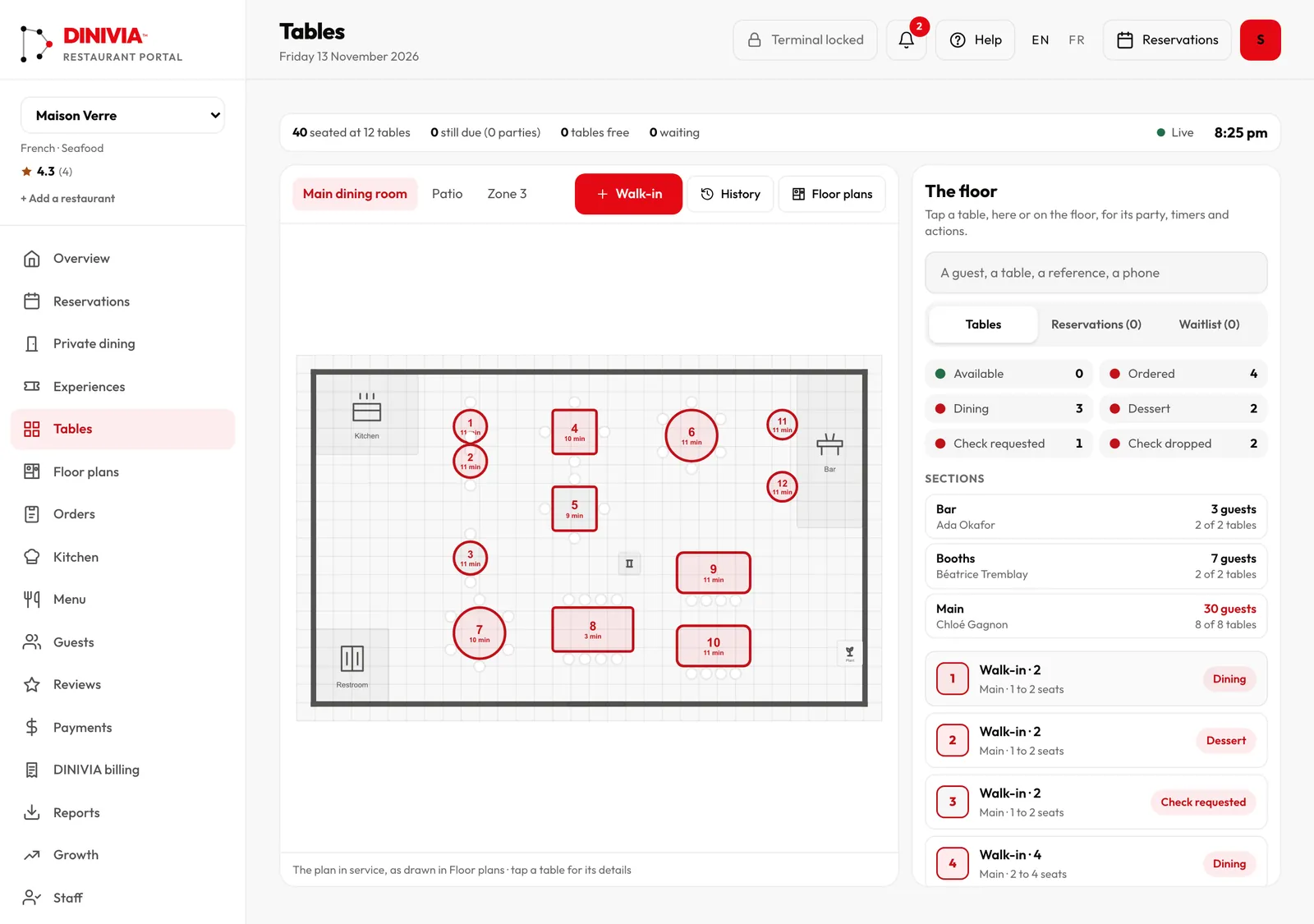
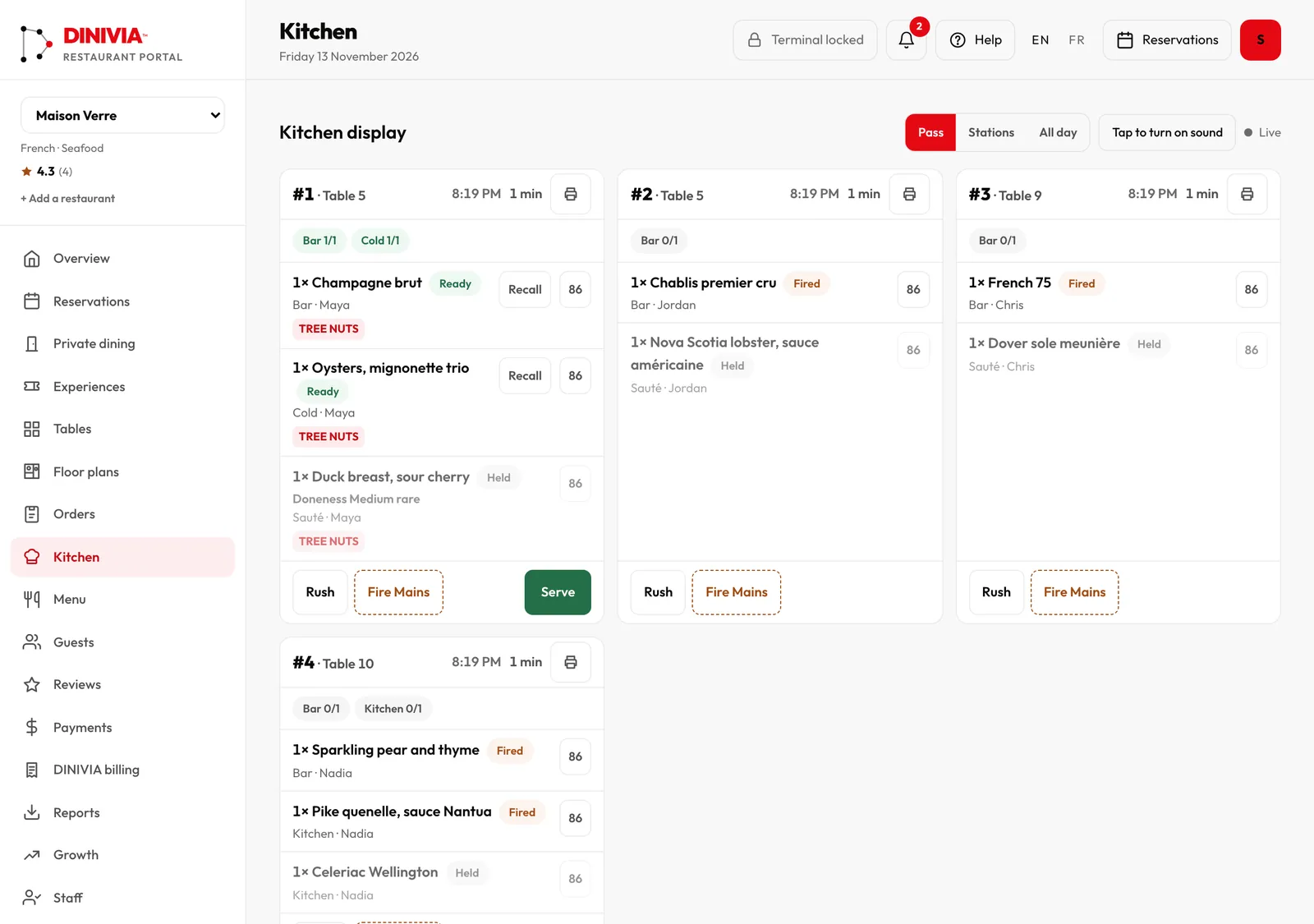
Run the room. Restaurant reservations, without the subscription.
- Group bookings with pre-orders sent straight to the kitchen
- Your guests stay yours: your list, their history, your notes
- $0 on bookings from your own link, QR code and website
- Free to join, no subscription required: pay only for seated guests DINIVIA brings
Real DINIVIA screens · demo restaurants and guests
The waitlist
How the waitlist works
-
01
Join the list
Leave your email. It takes ten seconds and you can leave any time.
-
02
Move up
Share your personal link. Each friend who joins moves you up 5 spots.
-
03
Get in first
Early members get access first, with launch news straight to their inbox.
What is DINIVIA?
Is DINIVIA available yet?
Is DINIVIA free for diners?
Do my guests need an account to RSVP?
How does splitting the bill work?
How does the waitlist work?
The way people come together.
Be first at the table when DINIVIA opens.
One more step
Check your inbox.
Already on the list? That email has your personal link instead. Can’t find it? Check your spam or promotions folder. We hold your spot for 7 days.
Social dinners
Dinner with people you haven’t met yet.
What is a DINIVIA social dinner?
A small table of people who have not met, around one meal. You answer a few questions once, book a seat, and DINIVIA seats you with people it thinks you will get along with. The restaurant is revealed the day before, your table’s page opens for chat and pre-orders, and everyone pays for their own meal at the restaurant.
Dinner themes
How a social dinner works
Tell DINIVIA about you
A few questions, once: what you like to talk about, the languages you speak, what you eat and any allergies. Nobody at your table sees your answers.
Pick a dinner
Choose a date and a theme and book your seat. Each dinner says the language it is held in.
DINIVIA sets the table
It seats you with people you are likely to enjoy, and mixes outgoing and quieter guests at each table.
Find out where
The restaurant is revealed the day before. Your table’s page opens so you can chat and pre-order.
Dine, then tell us
Pay for your own meal at the restaurant. Afterwards, tell DINIVIA privately whether you would sit with each person again. A no keeps you at different tables.
Real DINIVIA screens · demo restaurants and guests